Cloud Architecture Diagram Generator
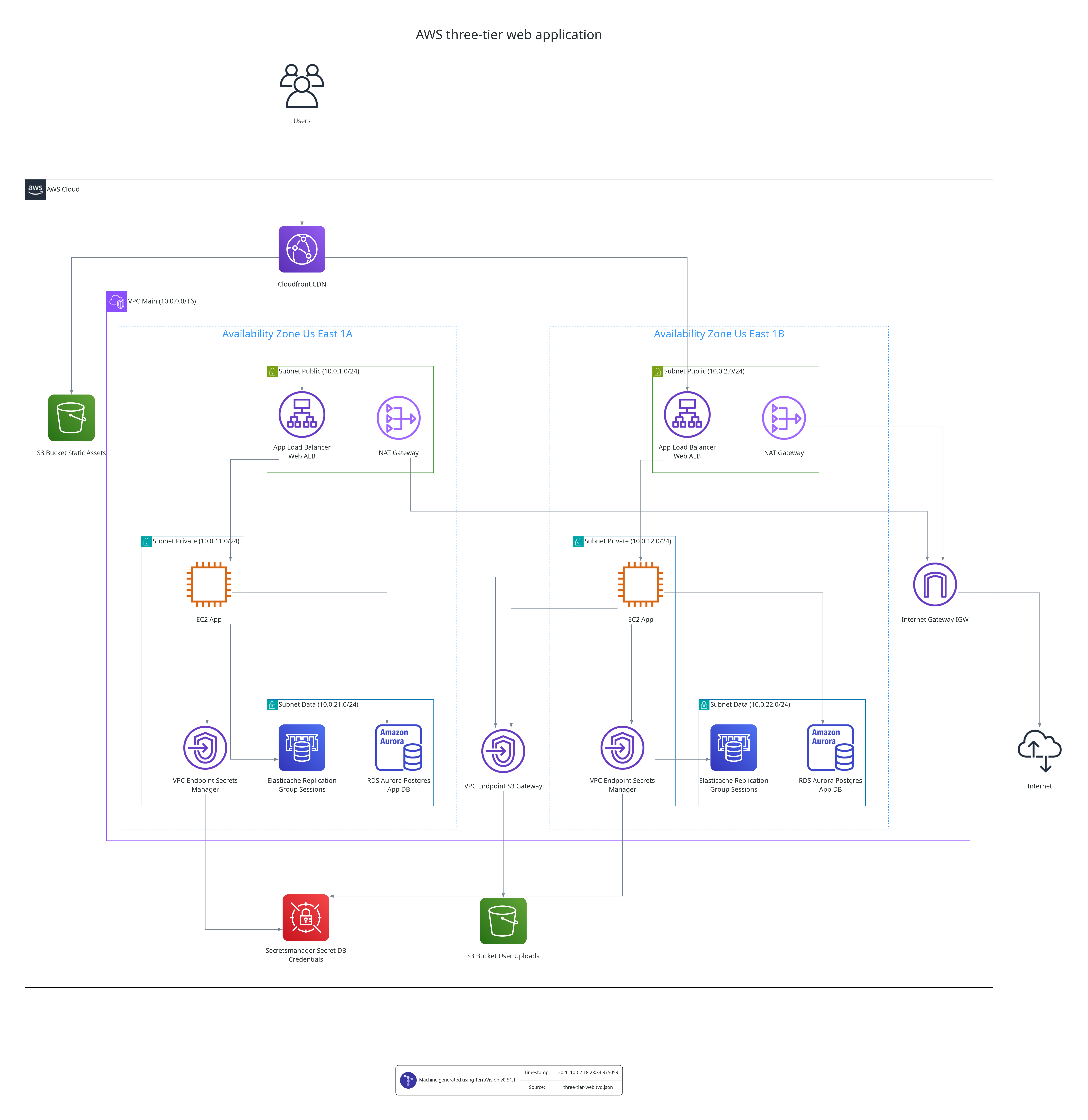
Get a cloud architecture diagram that looks like a cloud architect drew it, in minutes: the official AWS, Azure or Google Cloud icons, with every resource inside its VPC, subnet, zone or resource group. Describe the system to Claude or ChatGPT, or point TerraVision at your Terraform. The result is ready for a design review, a proposal or your documentation, and stays editable in draw.io or Lucidchart.
TerraVision is free and open source, runs on your own computer and never connects to your cloud account. It works in both directions: from a design to a diagram and its Terraform, and from Terraform to a diagram of what the code deploys.
| You want to | Start here |
|---|---|
| See what the output looks like | Gallery of example diagrams |
| Draw a new architecture by describing it | AI cloud architecture diagram generator for Claude and ChatGPT |
| Turn a finished design into code | Diagram to Terraform |
| Document Terraform that already exists | Terraform diagram generator |
| Compare it with draw.io, Lucidchart or Eraser | Compared with other tools |
How do I generate a cloud architecture diagram?
Pick the input you already have. All three produce the same style of diagram, as PNG, SVG, PDF or an editable draw.io file.
From a description, with an AI assistant
Install TerraVision in Claude Desktop or the ChatGPT desktop app (it also works in GitHub Copilot, Cursor and any MCP client), then ask in plain words:
Draw an AWS three-tier app: React on CloudFront, ECS Fargate behind an ALB in two AZs, SQL Server on RDS Multi-AZ
The diagram appears in the chat, and you refine it by talking. Setup takes one download or one command: Use TerraVision with AI assistants.
From a JSON graph
Each key is a Terraform resource type and a name, each value is what it connects to or contains. No Terraform and no cloud credentials are needed. See the Graph Format.
From Terraform code
The diagram is built from what terraform plan says the code deploys, so it matches the code. See the Usage Guide.
Is there a free, open-source cloud architecture diagram generator?
Yes. TerraVision is open source under the AGPL-3.0 licence and free to use. It installs from PyPI, runs locally on macOS, Windows and Linux, and has no account, watermark or usage limit. It supports 385 AWS, 264 Google Cloud and 245 Azure resource types.
Can AI generate a cloud architecture diagram?
Yes. An AI assistant such as Claude, ChatGPT or GitHub Copilot can generate one through the TerraVision MCP server. The assistant decides which services and connections to draw; TerraVision does the rendering with the official cloud icons and standard grouping, so the result looks like a diagram a cloud architect would draw.
How do I generate an architecture diagram from Terraform?
Run terravision draw --source <folder or Git URL>. TerraVision runs terraform plan, reads the resources and their dependencies, groups them into VPCs, subnets and zones, and renders the diagram. Modules, Terragrunt and OpenTofu are supported.
Does it use the official AWS, Azure and GCP icons and styles?
Yes. TerraVision uses each provider's official architecture icon set and follows its grouping conventions: regions, availability zones, VPCs and subnets on AWS; resource groups, virtual networks and subnets on Azure; projects, VPC networks, regions and zones on Google Cloud.
Does it need access to my cloud account?
No. TerraVision never calls a cloud API, and your code is not sent to any service. Diagrams from a description or a JSON graph need no credentials at all. Diagrams from Terraform use terraform plan, which you can run separately and pass in as a file.
How do I keep the diagram up to date?
Add the TerraVision GitHub Action to your pipeline. It redraws the diagram whenever the Terraform changes, so the documentation cannot drift from the code. GitLab, Jenkins and Azure DevOps setups are in the same guide.
Can it generate Terraform from the diagram?
Yes. After drawing a design with an AI assistant, ask it to write the Terraform. You can then draw the generated code with TerraVision to check that it matches the design. See diagram to Terraform.
Generators by cloud provider
- AI cloud architecture diagram generator (description to diagram)
- Diagram to Terraform (design to code)
- AWS architecture diagram generator
- Azure architecture diagram generator
- Google Cloud architecture diagram generator
- Terraform diagram generator
- TerraVision compared with Eraser, Mermaid, Diagrams and live cloud scanners