AI Cloud Architecture Diagram Generator
TerraVision lets an AI assistant draw cloud architecture diagrams. Describe a system in plain English in Claude, ChatGPT, GitHub Copilot or Cursor and get a diagram with the official AWS, Azure or Google Cloud icons, laid out in VPCs, subnets and zones the way a cloud architect would draw it. When the design looks right, ask for the Terraform. No Terraform knowledge is needed to start.
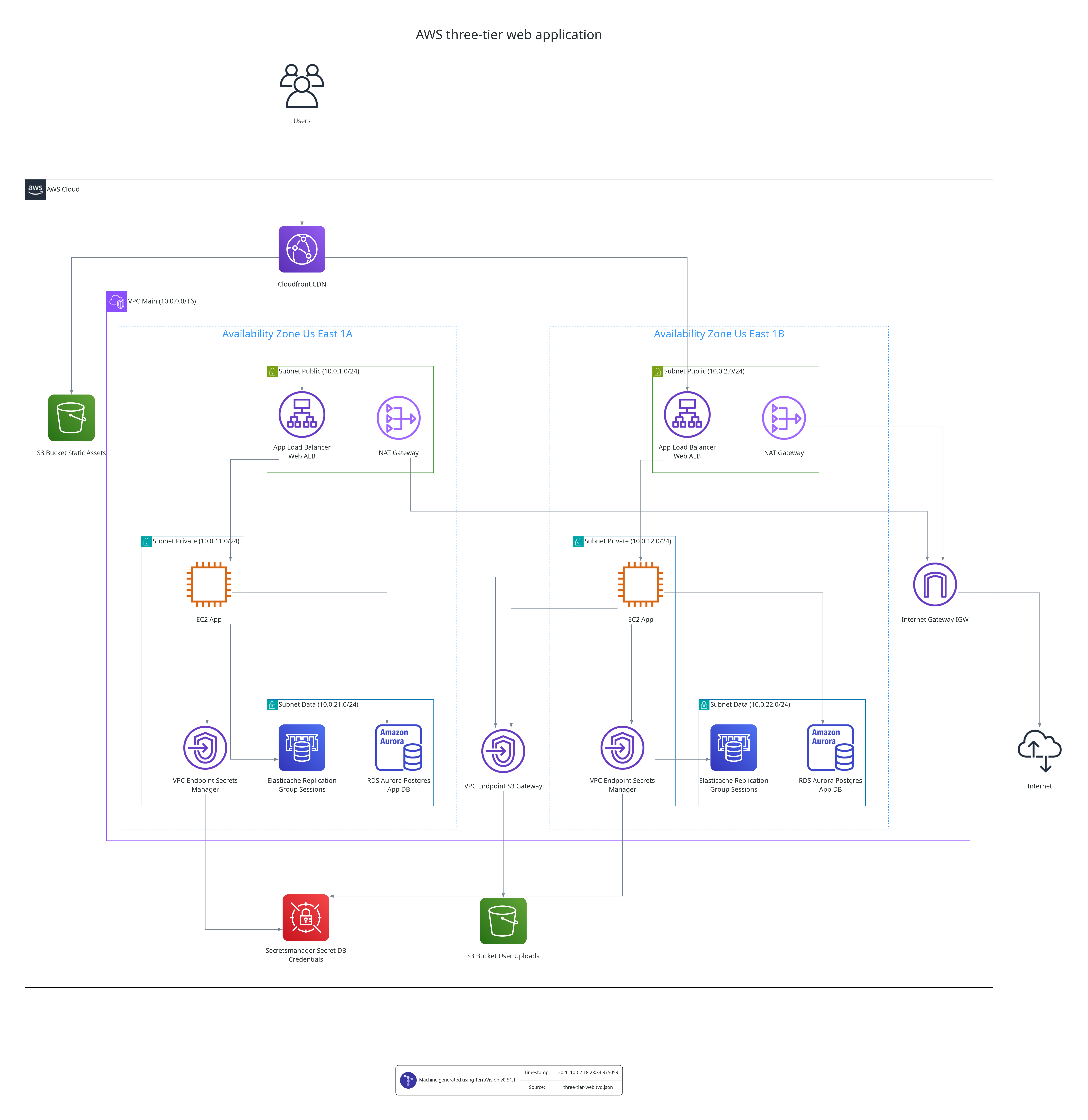
How do I generate a cloud architecture diagram with AI?
- Install the TerraVision extension or MCP server for your assistant: one download for Claude Desktop, one command for Claude Code, and the same plugin for the ChatGPT desktop app and Codex CLI. See setup.
-
Ask in plain words:
Draw an AWS three-tier app: React on CloudFront, ECS Fargate behind an ALB in two AZs, SQL Server on RDS Multi-AZ
-
Refine it by talking: "add ElastiCache", "put the database in its own subnet", "show how a request flows through it", "draw the same thing on Azure".
You get PNG and SVG images, an editable draw.io file and the underlying graph. In Claude Desktop and the ChatGPT desktop app the diagram appears right in the chat, with zoom and buttons to open it or edit it in draw.io.
Why not just ask the AI for a Mermaid diagram?
Mermaid is the right choice for sequence diagrams and flowcharts. For cloud architecture it has no built-in official AWS, Azure or GCP icons and no notion of VPCs, subnets or zones, so the result looks like a flowchart. With TerraVision the assistant writes a short JSON graph using Terraform resource names, and TerraVision renders it in each provider's official style.
Can the AI turn the diagram into Terraform?
Yes. Ask "Write the Terraform for this architecture" and the assistant writes code for the resources, zones and connections in the diagram. You can then draw that code with TerraVision and compare the two diagrams to check it. See diagram to Terraform.
Which AI assistants does it work with?
Claude Desktop and the ChatGPT desktop app (both show the diagram in the chat), Claude Code, OpenAI Codex CLI (same plugin as ChatGPT), Google Antigravity CLI, GitHub Copilot in VS Code, Cursor, and any other client that supports the Model Context Protocol (MCP). Setup for each is in the AI assistants guide.
What does the AI do, and what does TerraVision do?
The assistant decides which services to use and how they connect. TerraVision is the drawing engine: it validates the graph, applies the official icons and grouping rules, and renders the files. For diagrams of existing Terraform, TerraVision reads terraform plan itself, so the result does not depend on the assistant's reading of the code.
How do I draw a cloud architecture diagram in ChatGPT?
Add the TerraVision plugin: run codex plugin marketplace add https://github.com/patrickchugh/terravision and codex plugin add terravision-cloud-diagrams@terravision, then restart the ChatGPT desktop app. Ask for the architecture in plain words and ChatGPT uses TerraVision to draw it with the official AWS, Azure or GCP icons. The diagram appears in the chat.
How do I draw a cloud architecture diagram in Claude?
In Claude Desktop, download the TerraVision extension (.mcpb) from the latest GitHub release and open it. Ask for the architecture in plain words and the diagram appears in the chat, with buttons to open it or edit it in draw.io. Claude Code installs it as a plugin with one command.
Is my design sent anywhere?
TerraVision runs on your own computer and uploads nothing. The only thing that leaves your machine is the conversation you are already having with your AI assistant.
Is it free?
Yes. TerraVision is open source (AGPL-3.0) with no account, watermark or usage limit.
Related
- Diagram to Terraform: generate the code from the design
- Terraform diagram generator: generate the diagram from the code
- Cloud architecture diagram generator: all inputs and providers
- MCP server reference and Graph Format